
Memorial Designer software

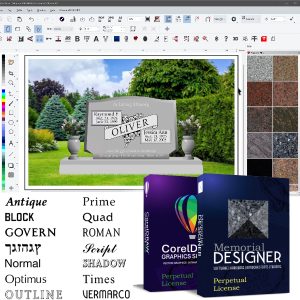
MemorialDESIGNER software for designing memorials specifically built for monument companies, cemeteries and funeral homes. It runs on CorelDRAW (included) and allows users to create full-color designs in minutes. Because the program is vector based, a cuttable version is always just a few clicks away.
It supports all major brands of cutters such as Graphtec (sold here thru Miles Supply), Allen Datagraph and APD. It can import and export DXF, DWG, PLT, AI, JPG, PNG, PDF and SVG files so existing artwork from other programs will not be lost and older cutters can be used.
MemorialDESIGNER comes with 40+ monument specific fonts, 100+ realistic granite colors and 30+ monument specific tools to create high quality designs even faster.
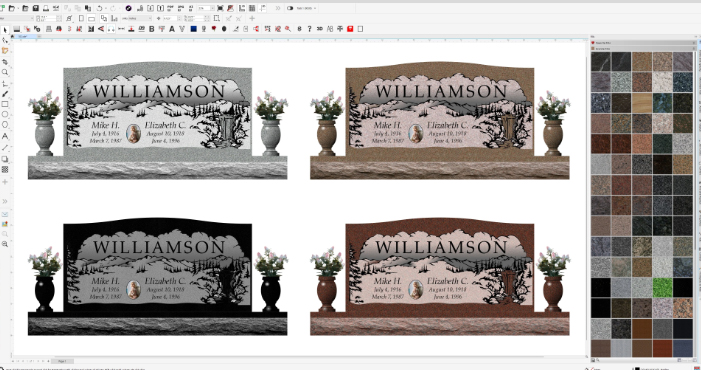
Show your customer realistic depictions with stone color and sand blast results.
Key Features
• Quickly build common shapes such as Serpentine, Oval, Roof and Half Serp
• Open or Import artwork by name, number or searchable tags
• Use as Point of Sale to design with customers
• Granite finishes such as Polished, Frosted, Rock Pitched, Rough Rock and Starburst
• Print drawings for your shop that show what is to be polished, frosted and v-sunk
• Show multiple versions or colors of the same design in the same window
• Easily add dimensions to any design
• Digitize rubbings, scanned images or pictures found online
• Use built-in AI to create 3-D renderings
• Kern and space text exactly how you want it
• Add etched portraits or artwork to the design
• Remove overlapping lines in seconds
• Integration with StoneSpot, MonuWorks, etc.
With one or two clicks, MemorialDESIGNER can:
• Change granite colors
• Create panels
• Auto-trace B&W images
• Toggle between full color and line drawings
• Mirror objects to the exact opposite side of the memorial
• Fill line drawings with frost and hard lines
• Bold any font or hard line
• Remove the background of a photo
• Export as PDF, JPG or AI
• Create an outline/offset around any text or object
• Add a background for customer approval
• Add a turned vase
• Add a ceramic photo
• Create a revision page to track design history
• Consolidate layers
• Remove duplicate objects
• Find all open paths or object
Known for their top notch service and training, the team at MemorialDESIGNER won’t leave you hanging as you learn to use the program. They provide initial training and perform the installation for you. They provide a full library of videos you can access anytime as well as virtual support and in-person training events. Youtube training channel
Many collections and licensing options 2026 Vendor Catalog | MemorialDESIGNER Art Brochure | MemorialDESIGNER brochure | Training and Support